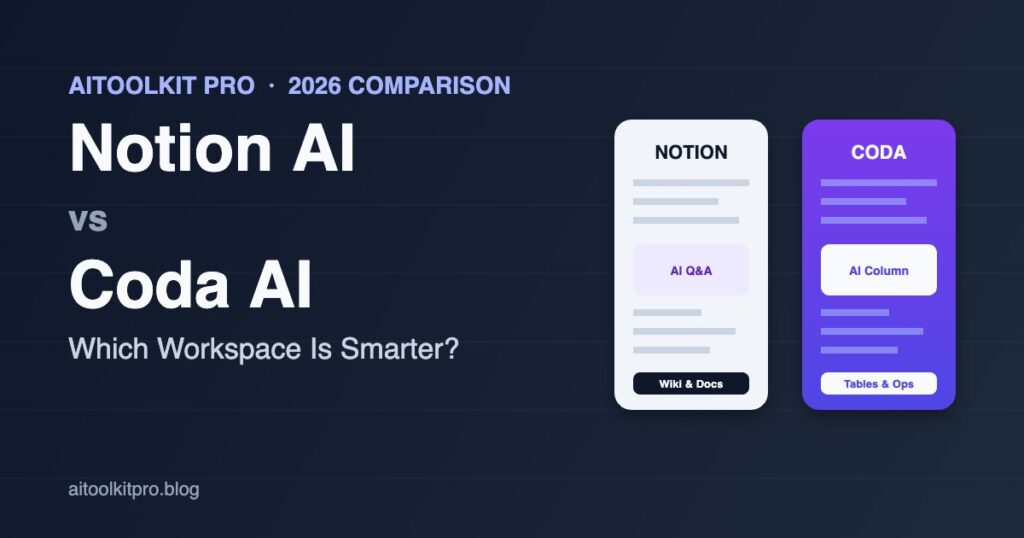
If your team has spent any time arguing about where the “single source of truth” should live in 2026, you’ve probably landed on the same question we hear from readers every week: Notion AI vs Coda AI — which workspace is actually smarter? Both platforms now embed AI into nearly every surface — docs, tables, automations, and pages — but the way each one reasons about your data is wildly different. Notion treats AI as a writing and search companion sitting on top of pages. Coda treats AI as a programmable layer that can hook into structured tables, formulas, and workflows. That distinction shapes everything: pricing, accuracy, automation power, and which team will get the most value.
We’ve spent the past few months running both platforms side by side across a marketing team’s content calendar, an ops team’s vendor tracker, and a small startup’s wiki. This guide breaks down what we learned: where Notion AI vs Coda AI actually differ, what each one does well, the honest weaknesses we ran into, and how to choose based on the work your team really does.
Notion AI vs Coda AI: The Quick Answer
If you want a fast verdict before the deep dive: Notion AI wins for knowledge bases, wikis, and writing-heavy teams. Its Q&A feature is excellent at pulling answers from a sprawling workspace, and the AI is now competent enough to draft long docs, summarize meeting notes, and translate content with minimal cleanup. Coda AI wins for ops-heavy teams that live in structured data. Coda’s “AI columns” run a prompt against every row in a table, which is closer to a no-code automation tool than a writing assistant — and that’s a massive productivity unlock if your work is built around trackers, CRMs, or repeatable workflows.
Most teams pick the wrong tool because they evaluate the AI feature in isolation rather than the platform underneath it. The AI is only as good as the data structure it can reach. Read on for the side-by-side breakdown.
What Is Notion AI in 2026?
Notion AI is built directly into the Notion editor and now includes four main capabilities: inline writing assistance, Q&A across your entire workspace, AI autofill for database properties, and AI-generated summaries for pages and meetings. In 2026, Notion has moved beyond the simple “improve writing” buttons and now ships a more autonomous AI agent that can search, plan, and edit across multiple pages with a single instruction.
Notion AI Strengths
The Q&A feature is the single most impressive thing about Notion AI in 2026. We pointed it at a 400-page internal wiki and it consistently surfaced the right page with the right answer — including citations to specific blocks. For writing tasks, the editor-level AI is genuinely useful for drafting blog outlines, cleaning up rough notes, and summarizing long meeting recaps. Autofill on databases is also strong: you can ask it to classify support tickets, tag content ideas by topic, or generate a one-line summary for each row.
Notion AI Weaknesses
Notion’s AI is still primarily a writing tool. It struggles with anything that requires multi-step automation or pulling data across linked databases with logic. The autofill is fast but doesn’t expose much control over the prompt — you can edit the instruction, but you can’t easily build a multi-step chain. And while pricing has improved, AI access on the lower-tier plans still feels rationed; heavy users will hit credits faster than they expect.
Notion AI Pricing
Notion AI is bundled into the Business and Enterprise plans, with limited “AI credits” available on Plus. Add-on AI for legacy plans runs roughly \$8–\$10 per member per month, though Notion has been steadily rolling AI access into base pricing. For most small teams, a Business plan ends up around \$20 per user per month with AI included — middle of the road for AI-enabled workspaces. If budget is tight, our roundup of the best AI tools under \$20/month in 2026 covers cheaper writing-focused alternatives.
What Is Coda AI in 2026?
Coda has always been the more “developer-flavored” doc tool. Coda AI continues that DNA: it’s exposed as formulas, columns, and buttons that can be wired into automations. You can have an AI column that runs a prompt against every row of a table, an AI block that generates content based on linked data, and a chat-style assistant that knows your doc structure. In 2026, Coda’s AI is also now Brain-powered, meaning it can answer questions across your entire workspace, similar to Notion’s Q&A.
Coda AI Strengths
Coda AI’s killer feature is the AI column. Drop one into a CRM-style table and ask it to “score this lead 1–10 based on the notes column and industry,” and it does — for every row, on demand. That single feature replaces what would otherwise be a multi-step Zapier + GPT pipeline. The same logic works for support triage, content moderation, summary columns, translation columns, sentiment analysis, and dozens of other use cases. For ops teams, this is the closest thing to having a small, prompt-defined analyst on every spreadsheet.
Coda AI Weaknesses
Coda’s learning curve is steeper than Notion’s. Tables, formulas, and “packs” (Coda’s term for integrations) require more upfront thinking than dropping blocks on a page. The writing experience is functional but less polished — drafting a long blog post in Coda still feels like writing inside a spreadsheet wrapper. And while the AI column is brilliant, it can quickly burn through credits if you run it on thousands of rows.
Coda AI Pricing
Coda’s pricing is doc-maker-based — only the people creating docs pay, viewers and editors are free. Pro plans start around \$12 per doc-maker per month, with Team at \$36. AI credits are sold separately or included in higher tiers. For a small ops team where two or three people build the trackers and twenty people use them, Coda is often dramatically cheaper than Notion’s per-seat pricing.
Notion AI vs Coda AI: Feature-by-Feature Comparison
Workspace Q&A. Both tools now offer “ask your workspace” search. Notion’s is slightly more polished and faster to set up — point it at your workspace and it works. Coda’s is impressively accurate but takes more configuration. Winner: Notion AI for ease of use, Coda AI for accuracy on heavily-structured data.
Writing and drafting. Notion AI feels more like writing with a co-author. The inline experience is smoother, the rewrite suggestions are sharper, and the page-level AI agent now handles multi-step drafting tasks like “outline this, write the intro, then suggest images.” Coda’s writing experience is utilitarian. Winner: Notion AI.
Structured automation. This is where the gap is widest. Coda AI columns and AI buttons let you bake AI into every row and every workflow. Notion’s database autofill is improving but still doesn’t match Coda’s flexibility or formula integration. If your work involves running an AI prompt against hundreds of structured records, Coda is years ahead. Winner: Coda AI, by a wide margin.
Integrations. Notion’s integration story has improved with native connectors to Slack, GitHub, Jira, Google Drive, and Salesforce that feed context to the AI. Coda has long had “Packs” for hundreds of services, which the AI can also use. Both are strong; Coda is more flexible for power users. Winner: Tie, leaning Coda for technical teams.
Meeting notes and summaries. Notion’s meeting AI now transcribes and summarizes calls directly inside a doc, then pulls action items into a database. Coda can do similar work but typically requires a Pack like Otter or Fathom — see our Otter vs Fireflies vs Fathom comparison if meeting transcription is your priority. Winner: Notion AI.
Knowledge base and wiki. Notion wins here decisively. Its page hierarchy, link-rich blocks, and native templates are designed for this. Many companies use Notion as their internal handbook and Coda for ops dashboards — and that’s a sensible split. Winner: Notion AI.
Custom apps and dashboards. Coda lets you build something that looks and feels like a real internal app: connected tables, conditional buttons, role-based views, embedded AI. Notion’s database views are improving but still feel like documents-with-tables rather than apps. Winner: Coda AI.
Alternatives Worth Considering
Notion AI vs Coda AI is the headline matchup, but a few other workspaces deserve mention if you’re shopping in 2026.
ClickUp AI
ClickUp leans heavily into project management. Its AI is excellent at summarizing tasks, suggesting subtasks, and writing status updates. For teams whose primary need is “track work, not write docs,” ClickUp can be a better fit than either Notion or Coda. Pricing is competitive, but the UI is notoriously dense.
Microsoft Loop with Copilot
If your organization is deep in Microsoft 365, Loop plus Copilot is increasingly competitive. The AI quality is on par with Notion and Coda, and the integration with Teams, Outlook, and SharePoint is unmatched for enterprise environments. The downside is the experience still feels less elegant than Notion for non-technical users.
Airtable AI
Airtable has long been the database-first workspace, and its AI capabilities are now strong enough to be a direct Coda competitor. If your team thinks in tables more than docs, Airtable AI is worth a serious look — particularly with its interface designer for building dashboards.
Obsidian with AI Plugins
For individuals and small research teams, Obsidian with community AI plugins remains the privacy-conscious choice. It’s local-first, markdown-based, and supports a growing ecosystem of LLM plugins — including ones that pair well with Claude. If deep research is your main workflow, our guide to using Claude for deep research walks through a workflow that complements Obsidian nicely.
How to Choose Between Notion AI and Coda AI
Here’s the practical decision framework we’d give a small team trying to pick between the two.
Choose Notion AI if: your team spends most of its time writing, planning, and searching for information. You need a wiki, a content calendar, meeting notes, a project plan, and a place to brainstorm — and you want the AI to help with all of it without a learning curve. Notion is also the safer choice for non-technical teams, because the onboarding ramp is shorter and the AI does most of the heavy lifting with sensible defaults.
Choose Coda AI if: your work is built around structured data — trackers, dashboards, CRMs, ops workflows, and any process where AI needs to run against rows of records. Coda’s per-doc-maker pricing is also a real cost advantage if you have a small group of builders and a larger group of viewers. Teams that already use formulas, SQL, or Airtable will feel at home immediately.
Consider running both: a surprising number of teams we’ve talked to do exactly this. Notion for the wiki, meeting notes, and writing-heavy work; Coda for the ops dashboards, vendor trackers, and AI-driven workflows. It’s not as wasteful as it sounds, especially given Coda’s free-viewer pricing. If you’re new to combining tools, our step-by-step guide to building an AI workflow without code shows how to connect tools cleanly without becoming a full-time integrator.
Performance, Reliability, and Privacy
Both Notion AI and Coda AI run on a mix of foundation models from OpenAI and Anthropic, with vendor-controlled prompts and routing. Output quality on standard tasks (drafting, summarization, classification) is similar in our testing — neither tool obviously beats the other on writing quality. Latency is comparable too: a typical AI column in Coda or an inline rewrite in Notion takes 3–8 seconds.
On privacy, both platforms commit to not training on customer data and offer enterprise-grade controls. Coda has historically been more explicit about data handling in its documentation, which can matter in regulated industries. If you’re in legal, healthcare, or finance, request the latest data processing addendum from both vendors before committing — policies evolve quickly.
If you’re also evaluating AI tools beyond workspaces — say, for slide decks or executive briefings — our roundup of the best AI presentation makers in 2026 covers what pairs well with both Notion and Coda.
Final Verdict: Notion AI vs Coda AI
Neither tool is universally better — they’re built for different jobs. After three months of side-by-side use, our verdict is: Notion AI is the smarter workspace for writing, knowledge, and wiki use cases. Coda AI is the smarter workspace for ops, automation, and AI-on-tables use cases. If we had to pick one for a brand-new small team that doesn’t know what it’ll become yet, we’d start with Notion AI, because the learning curve is gentler and you can always layer Coda in later for the ops work.
The good news in 2026 is that both tools are genuinely useful — not gimmicky AI bolted onto a doc editor. Either one will make a small team meaningfully more productive, and the cost of switching later isn’t catastrophic. The wrong move isn’t picking the “wrong” tool — it’s waiting another year while your team writes the same docs by hand.
Frequently Asked Questions
Pricing and feature details are accurate as of May 2026 and are likely to change as both platforms continue to evolve. Always verify the latest plan information on the vendor’s website before purchasing.